
ERP software
One system for the whole business
Accounting, point of sale, stock, purchasing, payroll and a sales pipeline in one place — priced in taka, usable in English or Bangla, and built by our team for businesses in Bangladesh.
Enter a sale once — stock, accounts and reports update themselves.
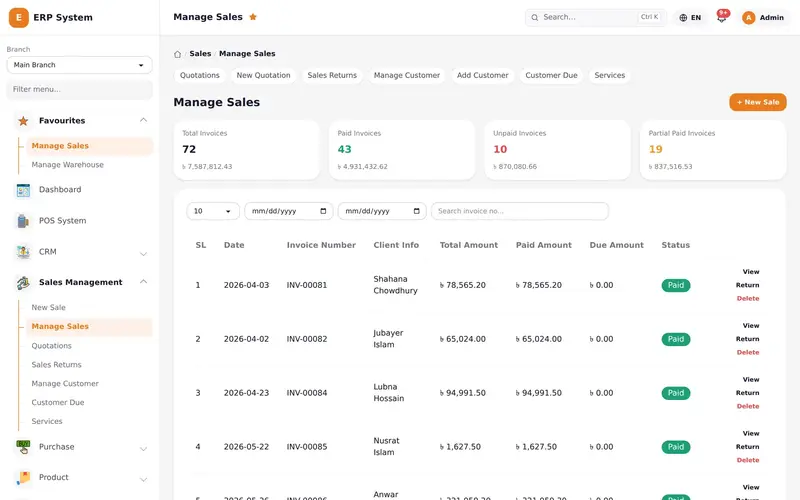
Real ERP screen. Saving one invoice updates stock, the account, the customer and the reports. Sample figures.
What you get
ERP software
Accounting
Every sale, purchase and expense posts to the right account automatically.
Point of sale
A fast counter screen that updates stock and accounts as you sell.
Inventory and purchasing
Stock levels, low-stock and expiry alerts, suppliers and purchase orders.
HR and payroll
Employees, attendance, leave and monthly payroll runs.
CRM
A lead pipeline from first contact to customer.
Reports
Sales, purchase, stock, VAT and ledger reports, each exportable to PDF, Excel and CSV, for one branch or all of them.
See it in action
Take the tour
Six real screens from our ERP, running on demo data. Tap the numbered points to see what each part does.
Real product · demo data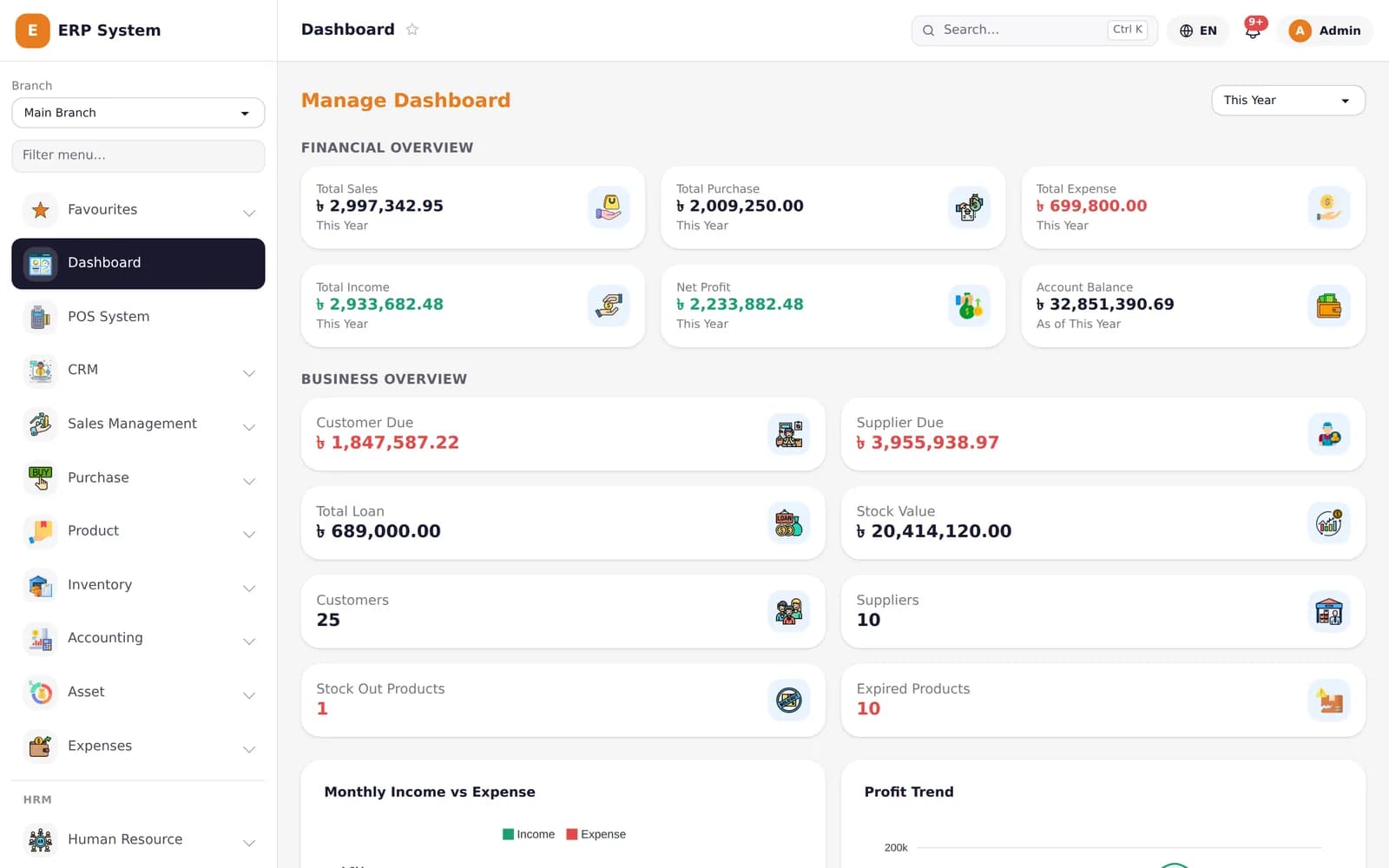
Screen 1 of 6
Dashboard
The business at a glance: sales, purchases, expenses, profit and balances, for any period.
How we deliver it
Conversation
How your business runs today, and what has to change.
Set up
Branches, accounts, products, roles and users configured.
Bring your data
Opening balances, products, customers and suppliers imported and checked.
Train
Each team learns its own screens, in English or Bangla.
Go live and support
We stay with you through the first months of real use.
See the real system
The screenshot above is the ERP itself, running on demo data.
Common questions
Can it handle more than one branch?
Yes. Each branch sees its own sales, purchases and stock, and head office can see them all together.
Is it available in Bangla?
Yes — the whole interface switches between English and Bangla, per person.
Can we move our data from spreadsheets or another system?
Yes. We import your opening balances, products, customers and suppliers, and check the figures with you before go-live.
Which technology do you use?
Proven, widely supported technology chosen to fit each project. We explain the choice in our proposal, and the code and documentation are yours, so you are never locked in to us.
Start here
Tell us about your project
A few lines are enough: what you want to build, who will use it, and any deadline. We reply to every enquiry.